宠物智能ICU监护系统
用户使用手册
Pet Intelligent ICU Monitoring System
User Manual
本手册面向临床宠物医生与护理人员,用最直观的方式带您认识这台设备:从开机、设定参数,到日常监护、场景应用与常见问题处理,跟着读一遍就能上手。 This manual is written for veterinary clinicians and nursing staff. It walks you through everything you need to know — from powering up and setting parameters, to daily monitoring, clinical workflows, and troubleshooting. Read it once, and you'll be ready to operate the unit with confidence.
欢迎使用 Welcome
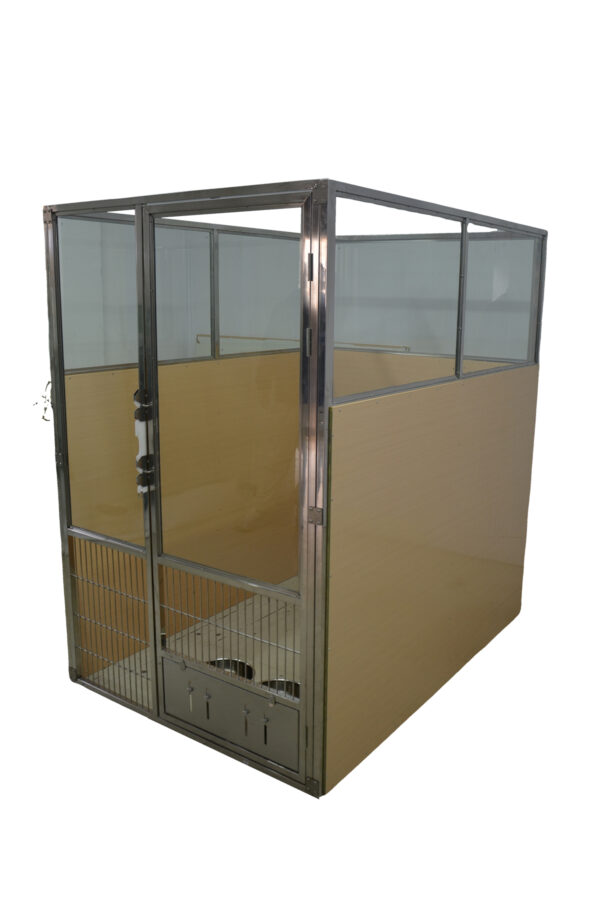
Overview您面前的这台设备,是一套为患病宠物打造的密闭式生命支持环境。它把温度、湿度、氧气、二氧化碳四路环境参数和多种治疗功能整合在一起,让一只重症宠物在舱内也能获得稳定、可控的照护条件。 The unit in front of you is a sealed life-support environment designed for critically ill pets. It integrates four environmental parameters — temperature, humidity, oxygen, and carbon dioxide — together with multiple therapeutic functions, giving a critical patient a stable, controllable recovery environment.
它能为您做什么 What This System Does for You
🌡 精准温控🌡 Precision Thermoregulation
制冷与加热双向调节,配合 1 / 2 / 3 ℃ 温度回差,把舱温稳定在您设定的区间。 Bidirectional cooling and heating with selectable 1 / 2 / 3 °C hysteresis holds chamber temperature within your target band.
💨 氧疗支持💨 Oxygen Therapy
设定目标氧浓度与回差后,系统自动补氧、自动停氧,浓度始终保持在目标区间。 Set a target O₂ concentration and hysteresis; the system automatically supplies and stops oxygen to keep the level on target.
🫧 气体管理🫧 Gas Management
CO₂ 超限自动通风、自动过滤,浓度回落自动关闭,无需人工盯守。 Automatic CO₂ ventilation and filtration trigger when levels exceed limits, and shut off automatically once they fall.
💡 治疗与消毒💡 Therapy & Disinfection
紫外、等离子、红外、蓝光、雾化、照明六大模块,一键启停、定时自动关闭。 Six modules — UV, plasma, infrared, blue light, nebulization, and lighting — with one-touch start and timed auto-stop.
📊 实时可视📊 Real-Time Visibility
主界面数值 + 趋势曲线双维度显示,历史数据可追溯,异常一眼可见。 Values plus trend curves on the main screen; historical data is traceable, so abnormalities stand out immediately.
🛡 安全保护🛡 Safety Protection
压缩机启停保护、温度锁定、传感器故障自检,多重保护防止误操作与设备损伤。 Compressor start-stop protection, temperature lockouts, and sensor fault self-checks prevent misuse and equipment damage.
如果您是第一次使用,建议按顺序读第 02 ~ 04 章,先跑通一遍基本流程;已经上手的老师,可以直接跳到第 05 章查参数、第 06 章做校准、第 08 章看维护、第 09 章查问题。 If this is your first time using the system, read Chapters 02–04 in order to run through the basic workflow once. If you're already familiar, jump straight to Chapter 05 for parameters, Chapter 06 for calibration, Chapter 08 for maintenance, or Chapter 09 for troubleshooting.
五分钟快速上手 Quick Start
Get Running in 5 Minutes如果您现在就要把动物放进去,跟着下面这四步走,五分钟内就能完成一次完整的启停操作。 If you need to get an animal into the chamber right now, follow these four steps. You'll complete a full start-to-stop cycle in about five minutes.
第一步 · 开机 Step 1 · Power Up
第二步 · 设定目标参数 Step 2 · Set Target Parameters
进入「参数设置」页面,根据临床需求填写: Open the Parameter Setup page and enter values based on the clinical situation:
| 参数Parameter | 建议起始值Suggested Starting Value | 说明Notes |
|---|---|---|
| 目标温度Target Temperature | 25 ℃(常规) 28~30 ℃(术后)25 °C (routine) 28–30 °C (post-op) |
按动物体重、体温和病情调整Adjust based on body weight, temperature, and condition |
| 氧气浓度设定点O₂ Concentration Setpoint | 30% ~ 45%30% – 45% | 需要氧疗时设置;不氧疗可保持关闭Set when oxygen therapy is needed; leave off otherwise |
| 氧气回差O₂ Hysteresis | 2%2% | 数值越大,供氧阀动作越少;过小会导致频繁开关Larger values reduce valve cycling; too small causes frequent switching |
| 湿度设定点Humidity Setpoint | 50%50% | 按动物品种与病情调整Adjust to species and clinical condition |
| CO₂ 通风上限CO₂ Ventilation Upper Limit | 3000 ppm3000 ppm | 超过此值自动开窗换气Above this, the vent opens automatically |
| CO₂ 通风下限CO₂ Ventilation Lower Limit | 1500 ppm1500 ppm | 降到此值以下自动关窗Below this, the vent closes automatically |
| 通风持续时间Ventilation Duration | 5 min5 min | 单次换气的最短保持时长Minimum hold time for each ventilation cycle |
第三步 · 启动需要的功能 Step 3 · Activate Needed Functions
回到主界面,在右侧竖排按钮中点击需要开启的功能。启动后按钮旁会显示剩余时间,倒计时结束自动停止。 Return to the Main Monitor and tap the vertical buttons on the right to start each function. Once started, the remaining time appears beside the button, and the function stops automatically when the countdown ends.
第四步 · 关机 Step 4 · Shut Down
先开机 → 再设参数 → 后放动物 → 最后启治疗。关机顺序反过来:先关治疗 → 再移动物 → 后关空调。 Power up first → set parameters → place the animal → then start therapy. Shut down in reverse: stop therapy → remove the animal → turn off the AC.
认识触摸屏界面 Screen Overview
HMI Layout触摸屏顶部是全局导航栏,无论当前在哪个页面,都可以通过它切换功能。左上角显示设备名称,右上角可以切换中英文。 The top of the touchscreen is the global navigation bar. No matter which page you're on, you can switch functions from here. The device name appears in the upper-left, and the language toggle (English / Chinese) is in the upper-right.
| 导航项Tab | 用来做什么Purpose |
|---|---|
| 主监控Main Monitor | 日常最常用:看数据、开功能、启停空调Your daily screen — view data, start functions, and toggle the AC system |
| 参数设置Parameter Setup | 修改温度、氧浓度、定时、风量等设定值Adjust temperature, O₂ concentration, timers, fan speeds, and other setpoints |
| 数据看板Data Dashboard | 查看历史数据统计与变化趋势Review historical data statistics and trends |
| 空调工作状态AC Working Status | 查看各部件运行状态、做传感器校准Check component status and perform sensor calibration |
| 系统设置(齿轮图标)System Settings (gear icon) | 系统级配置与语言切换System-level configuration and language selection |
在「参数设置」页面中,用红色标注的项目属于核心系统参数(例如 CO₂ 限值、压缩机保护时间、风量标定值)。修改前请先记录原始数值,修改后确认设备运行是否正常。 On the Parameter Setup page, items marked in red are critical system parameters — for example, CO₂ limits, compressor protection time, and fan calibration values. Before changing any of them, record the original value, and verify the unit operates normally afterward.
主监控界面操作 Main Monitor
Daily Operation主监控界面是您每天看得最多的页面,左侧是四个参数卡片,右侧是功能控制区。 The Main Monitor is the screen you'll use most often. The left side holds four parameter cards; the right side holds the function control panel.
左侧:四个参数卡片 Left Side · Four Parameter Cards
每张卡片都显示实时值(大字号)、设定值(小字号)和一段趋势曲线。趋势曲线能让您一眼看出参数是稳定、上升还是波动。 Each card shows the real-time value (large type), setpoint (small type), and a trend curve. The trend curve lets you see at a glance whether a parameter is stable, rising, or fluctuating.
| 卡片Card | 显示内容Displays | 异常时看什么If Abnormal, Check |
|---|---|---|
| 舱内温度Chamber Temp | 实时温度 / 目标温度Real-time temperature / target | 空调是否开启、舱门是否关严Is the AC on? Is the door sealed? |
| 氧气浓度O₂ Concentration | 实时氧浓度 / 设定值Real-time O₂ / setpoint | 自动氧控是否开启、氧气源是否正常Is auto O₂ control on? Is the oxygen source OK? |
| 舱内湿度Chamber Humidity | 实时湿度 / 设定值Real-time humidity / setpoint | 雾化或加湿单元状态Nebulizer or humidifier status |
| 二氧化碳浓度CO₂ Level | 实时 CO₂ / 设定上限Real-time CO₂ / upper limit | 自动通风是否开启、排风窗是否动作Is auto ventilation on? Does the vent operate? |
右侧:功能控制区 Right Side · Function Control Panel
竖排的七个按钮,点击即启动或关闭对应功能。启动后按钮旁显示剩余运行时间。 Seven vertical buttons. Tap to start or stop the corresponding function. Once started, the remaining time appears next to the button.
| 按钮Button | 功能Function | 使用要点Key Point |
|---|---|---|
| 舱内照明Chamber Light | 舱内基础照明,方便观察动物Interior lighting for observation | 启动后按设定延时自动熄灭Auto-off after the configured delay |
| 紫外线消毒UV Sterilization | 循环风式紫外线消杀Circulating-air UV disinfection | 仅空舱时使用!动物在舱内严禁开启Empty chamber only! Never use with an animal inside |
| 等离子消毒Plasma Sterilizer | 空气等离子循环净化Air plasma circulation and purification | 动物驻舱时可持续开启,降低微生物浓度Safe to run with the animal in the chamber |
| 红外辅助Infrared Auxiliary | 红外加热 + 理疗Infrared warming + therapy | 间歇工作,亮/熄时间与总时长可设Intermittent mode; on/off durations and total time are adjustable |
| 蓝光治疗Blue-Light Therapy | 针对黄疸等病症的蓝光照射Blue light for jaundice and similar conditions | 按设定时长自动停止Stops automatically after the set duration |
| 雾化功能Nebulization Function | 配合雾化器进行呼吸道给药Respiratory drug delivery with a nebulizer | 接好雾化管路后一键启动,定时停止Connect the nebulizer line, then one-touch start; timed stop |
| 风速控制Fan Speed Control | 调节空调内机风量Adjusts the AC indoor fan | 可手动选档,也可切到 Auto 自动跟随温差Choose a manual speed or switch to Auto to follow the temperature difference |
紫外线会对动物的眼睛和皮肤造成损伤。开启 UV 消毒前,必须确认舱内没有动物。消毒结束后打开舱门通风 10 分钟以上,再放入动物。 UV light can damage an animal's eyes and skin. Before starting UV disinfection, confirm there is no animal in the chamber. After disinfection, open the door and ventilate for at least 10 minutes before placing an animal inside.
参数设置界面 Parameter Setup
Configuration点击顶部「参数设置」进入。所有参数修改后即时生效,不需要重启设备。页面共分五个设置组,下面逐一说明。 Tap Parameter Setup in the top navigation bar. All changes take effect immediately — no restart required. The page is divided into five groups, described below.
5.1 CO₂ 浓度设置组 5.1 CO₂ Concentration Settings
| 参数Parameter | 作用Purpose | 设置建议Recommended |
|---|---|---|
| 通风上限(PPM)Ventilation Upper Limit (PPM) | CO₂ 达到该值时,自动开启通风换气When CO₂ reaches this value, automatic ventilation starts | 3000 ppm3000 ppm |
| 通风下限(PPM)Ventilation Lower Limit (PPM) | CO₂ 低于该值时,自动关闭通风When CO₂ falls below this value, ventilation stops | 建议取上限的一半左右,如 1500 ppmAbout half the upper limit, e.g. 1500 ppm |
| 通风持续时间(min)Ventilation Duration (min) | 每次自动通风的最短运行时长Minimum run time per automatic ventilation cycle | 5 分钟5 minutes |
如果上限和下限靠得太近,排风窗和风扇会在临界点反复开关。让下限约为上限的一半,中间留出足够宽的控制区间,设备运行会更平稳。 If the upper and lower limits are too close, the vent window and exhaust fan will toggle back and forth at the threshold. Setting the lower limit to roughly half the upper limit provides a wide control band and keeps operation smooth.
5.2 温度与浓度设置组 5.2 Temperature & Concentration Settings
| 参数Parameter | 作用Purpose | 设置建议Recommended |
|---|---|---|
| 目标温度(℃)Target Temperature (°C) | 舱内需要维持的温度Chamber temperature to maintain | 常规 25 ℃,术后 28~30 ℃25 °C routine; 28–30 °C post-op |
| 氧气浓度设定点(%)O₂ Concentration Setpoint (%) | 自动氧疗的目标浓度Target concentration for auto oxygen therapy | 一般 30 ~ 45 %Typically 30% – 45% |
| 氧气回差(%)O₂ Hysteresis (%) | 氧浓度的控制死区Control deadband for O₂ concentration | 建议 2 %;过小会导致电磁阀频繁动作2%; too small causes frequent valve cycling |
| 湿度设定点(%)Humidity Setpoint (%) | 目标舱内相对湿度Target relative humidity | 常见 50 % 左右Commonly around 50% |
| 自动氧气控制Automatic O₂ Control | 自动氧气控制总开关Master switch for auto oxygen control | 需要氧疗时打开Turn on when oxygen therapy is required |
氧气回差是怎么工作的 How O₂ Hysteresis Works
假设设定氧浓度为 45 %,回差为 2 %: Suppose the setpoint is 45% with a hysteresis of 2%:
- 当舱内氧浓度 低于 43 % 时,系统自动开启供氧; When chamber O₂ falls below 43%, the system opens the oxygen valve;
- 当氧浓度 达到 45 % 时,系统停止供氧。 When O₂ reaches 45%, the system closes the valve.
这样氧浓度就能稳定在 43 %~45 % 之间,既保证疗效,又避免阀门不停开合。 This keeps O₂ stable between 43% and 45% — effective therapy without constant valve cycling.
5.3 功能定时设置组 5.3 Function Timer Settings
用来设定各治疗模块的自动关闭延时,单位为分钟。启动后运行到设定时长,功能会自动停止。 These set the auto-off delay for each therapy module, in minutes. Once started, the function runs for the configured duration and then stops automatically.
| 项目Item | 默认值Default | 说明Notes |
|---|---|---|
| 照明自动关闭延时Light Auto-off Delay | 10 min10 min | 舱内照明持续点亮时长How long the chamber light stays on |
| 紫外灯自动关闭延时UV Light Auto-off Delay | 10 min10 min | 单次消毒的累计运行时长Total runtime per disinfection cycle |
| 等离子自动关闭延时Plasma Auto-off Delay | 10 min10 min | 单次等离子净化时长Runtime per plasma purification cycle |
| 雾化自动关闭延时Nebulizer Auto-off | 10 min10 min | 单次雾化给药时长Runtime per nebulization session |
5.4 运行阈值参数组 5.4 Operating Threshold Parameters
| 参数Parameter | 作用Purpose | 默认值Default |
|---|---|---|
| 红外辅助总时长Total IR Auxiliary | 红外功能一次启动后的总运行时间Total run time for one infrared session | 20 min20 min |
| 红外灯开启时长IR Lamp ON Duration | 间歇工作中单次连续照射的时间Continuous irradiation time per cycle | 2 min2 min |
| 红外灯关闭时长IR Lamp OFF Duration | 间歇工作中单次停止照射的时间Pause time per cycle | 1 min1 min |
| 蓝光开启时长Blue Light ON Duration | 蓝光治疗单次运行的时长Run time per blue-light session | 3 min3 min |
总时长 20 min、开 2 min、关 1 min,表示红外灯会按照「亮 2 分钟 → 熄 1 分钟 → 亮 2 分钟……」的节奏循环,直到累计运行满 20 分钟后自动结束。这种间歇方式既能持续理疗,又能避免局部过热。 Total 20 min, ON 2 min, OFF 1 min means the IR lamp cycles: on 2 min → off 1 min → on 2 min… until 20 minutes of total elapsed time is reached, then it stops automatically. This intermittent pattern delivers sustained therapy while avoiding localized overheating.
5.5 空调系统设置组 5.5 Air Conditioning System Settings
| 参数Parameter | 作用Purpose | 默认值Default |
|---|---|---|
| 压缩机启停保护Compressor Start-Stop Protection | 压缩机两次启动之间的最小间隔Minimum interval between compressor starts | 3 min3 min |
| 低风量Low Fan Speed | 低档风机转速设定值Low-speed fan setpoint | 22002200 |
| 中风量Medium Fan Speed | 中档风机转速设定值Medium-speed fan setpoint | 29002900 |
| 高风量High Fan Speed | 高档风机转速设定值High-speed fan setpoint | 38003800 |
| 自动通风开关Auto Ventilation | CO₂ 自动通风总开关Master switch for automatic CO₂ ventilation | ONON |
| CO₂ 自动过滤CO₂ Automatic Filtration | CO₂ 自动过滤功能开关Switch for automatic CO₂ filtration | ONON |
| 启停温度回差AC Start-Stop Hysteresis | 可选 1 ℃ / 2 ℃ / 3 ℃Selectable 1 °C / 2 °C / 3 °C | 2 ℃2 °C |
压缩机启动瞬间电流很大,频繁启停会显著缩短寿命。系统强制保护时间不低于 3 分钟。如果您发现刚关空调又想马上开,设备会等一会儿才启动,这是正常保护行为,不是故障。 The compressor draws a large inrush current at startup, and frequent cycling significantly shortens its life. The system enforces a minimum protection time of 3 minutes. If you turn the AC off and immediately try to turn it back on, the unit will wait before restarting — this is normal protective behavior, not a fault.
5.6 温度回差怎么选 5.6 Choosing the Temperature Hysteresis
温度回差决定制冷和制热之间的切换区间。假设目标温度 25 ℃: Hysteresis determines the switching band between cooling and heating. Assume a target of 25 °C:
| 回差Hysteresis | 制冷启动点Cooling Starts | 制热启动点Heating Starts | 适用情况Best For |
|---|---|---|---|
| 1 ℃1 °C | 26 ℃26 °C | 24 ℃24 °C | 追求温度精度,但设备动作较频繁Tight temperature accuracy, but more frequent cycling |
| 2 ℃(推荐)2 °C (recommended) | 27 ℃27 °C | 23 ℃23 °C | 兼顾精度与设备寿命,最常用Balances accuracy and equipment life — most common |
| 3 ℃3 °C | 28 ℃28 °C | 22 ℃22 °C | 舱体保温较差或环境波动大时使用Poor chamber insulation or large ambient swings |
状态查看与传感器校准 Status & Calibration
Diagnostics点击顶部「空调工作状态」进入。这个页面有两个用途:查看设备各部件是否在正常工作,以及校准氧气和二氧化碳传感器。 Tap AC Working Status in the top navigation bar. This page serves two purposes: checking whether each component is operating correctly, and calibrating the oxygen and CO₂ sensors.
6.1 状态查看 6.1 Component Status
页面上的指示灯用颜色区分状态: Indicator lights on this page use color to indicate status:
- 绿色 —— 该部件正在运行 / 状态有效 Green — component running / status active
- 灰色 —— 该部件停止 / 状态无效 Gray — component stopped / status inactive
| 区域Area | 可以看到什么What You Can See |
|---|---|
| 左侧Left | 设备舱温度、氧气传感器原始码、氧气输入使能开关、空调风机实时转速、通风窗与排风扇状态Chamber temperature, O₂ raw code, O₂ input enable, AC fan speed, vent window and exhaust fan status |
| 中间Center | 雾化模块、紫外灯、蓝光灯、等离子、红外灯、压缩机、加热、散热风扇、CO₂ 过滤系统的运行状态Nebulizer, UV lamp, blue light, plasma, infrared lamp, compressor, heater, cooling fan, and CO₂ filtration system status |
| 右侧Right | 氧气校准开关、CO₂ 校准开关,以及校准操作说明Oxygen Calibration switch, CO₂ Calibration switch, and calibration instructions |
如果主界面某项参数不正常,先来这个页面看一眼:对应的执行部件是绿色还是灰色。如果该工作的部件是灰色,问题多半在控制逻辑或参数设置;如果是绿色但效果不好,问题可能出在机械或气路部分。 If a parameter on the main screen looks wrong, check this page first: is the corresponding component green or gray? If a component that should be running is gray, the issue is likely in control logic or parameter settings. If it's green but not producing the expected effect, the issue is probably mechanical or in the gas path.
6.2 氧气浓度校准 6.2 Oxygen Calibration
当氧气读数与标准仪器偏差明显时,需要做一次校准。 If the O₂ reading deviates noticeably from a reference instrument, perform a calibration.
6.3 二氧化碳浓度校准 6.3 CO₂ Calibration
CO₂ 校准有两种方式,推荐使用自动校准。 There are two calibration methods. Automatic calibration is recommended.
方式一:自动校准(推荐) Method 1: Automatic Calibration (Recommended)
- 打开所有房间门窗和舱门,保持充分通风; Open all room doors/windows and the chamber door to ensure thorough ventilation;
- 保持设备通电,让舱门敞开 10 小时以上; Keep the unit powered and leave the chamber door open for more than 10 hours;
- 系统会自动把浓度校准到标准大气水平; The system will automatically calibrate to the standard atmospheric CO₂ level;
- 整个过程中不要进行任何操作,也不要按手动校准按钮。 Do not perform any operations during the process, and do not press the manual calibration button.
方式二:手动校准 Method 2: Manual Calibration
- 打开舱门与门窗,充分通风 15 分钟以上; Open the chamber door and room doors/windows; ventilate thoroughly for at least 15 minutes;
- 在「空调工作状态」页面右侧,将 CO₂ Calibration 开关拨到 ON; On the AC Working Status page, toggle the CO₂ Calibration switch to ON;
- 系统会在约 60 秒后向传感器下发校准指令,完成后开关自动复位。 After about 60 seconds, the system sends the calibration command to the sensor. The switch resets automatically when complete.
无论氧气还是 CO₂ 校准,核心前提都是让舱内空气等于环境空气。如果通风不充分,传感器会把「不标准的空气」当成基准,结果反而更不准。宁可多通风十分钟,也不要急着按校准。 For both O₂ and CO₂ calibration, the essential prerequisite is that chamber air equals ambient air. If ventilation is insufficient, the sensor will treat "non-standard air" as its baseline, making the reading worse, not better. It's better to ventilate ten extra minutes than to rush the calibration.
四大典型使用场景 Clinical Workflows
Use Cases下面四种场景覆盖了日常大部分使用需求。点击标签切换,照着做就能快速进入工作状态。 These four workflows cover most day-to-day needs. Tap a tab to switch, then follow the steps to get into working mode quickly.
适用:病情稳定、需要持续环境监护的住院动物 For: Stable patients requiring continuous environmental monitoring
适用:麻醉苏醒期、体温偏低的术后动物 For: Anesthesia recovery and hypothermic post-surgical patients
红外理疗时间不宜过长,应根据动物反应适时调整。若发现动物躁动或皮肤发红,应立即停止并检查。 Infrared therapy should not run for extended periods. Adjust based on the animal's response. If the animal becomes restless or the skin reddens, stop immediately and inspect.
适用:呼吸系统疾病、需要提高吸入氧浓度的动物 For: Respiratory disease and patients requiring elevated inhaled oxygen
舱内氧浓度升高后,严禁在附近吸烟或使用明火。氧疗结束后务必先通风置换,再进行其他操作。 Once chamber oxygen is elevated, no smoking or open flames in the vicinity. After oxygen therapy, always ventilate and purge before performing other operations.
适用:接诊前后、动物转出后的舱体终末消毒 For: Terminal disinfection before/after intakes, or after patient discharge
日常使用中可持续开启等离子消毒,在动物驻舱状态下也能降低舱内微生物浓度,作为终末消毒的补充。 Run plasma sterilization continuously during daily use to reduce microbial concentration even while the animal is inside — a helpful supplement to terminal disinfection.
日常维护保养 Maintenance
Care & Service| 周期Interval | 维护项目Task | 具体做法Details |
|---|---|---|
| 每日Daily | 检查传感器数值Check sensor readings | 观察主界面四个参数是否正常,有无异常报警Verify the four main parameters are normal; watch for any alarms |
| 每次使用后After each use | 清洁舱内环境Clean the chamber | 避免液体、毛发进入传感器与风机部件Prevent liquids and hair from entering sensors and fan components |
| 每月Monthly | 检查氧气 / CO₂ 传感器精度Verify O₂ / CO₂ sensor accuracy | 与标准仪器比对,偏差较大时及时校准Compare against a reference instrument; calibrate if deviation is large |
| 定期Regular | 清理空调滤网与通风风道Clean AC filters and air ducts | 保证气流通畅与温控效率Maintain airflow and temperature control efficiency |
| 长期停用Extended downtime | 断电并彻底清洁Disconnect power and clean thoroughly | 保持舱门微开,避免产生异味Leave the door slightly open to prevent odors |
- 不要用强酸、强碱或含氯消毒剂直接喷洒触摸屏和传感器探头。 Do not spray strong acids, bases, or chlorine-based disinfectants directly onto the touchscreen or sensor probes.
- 传感器探头是精密元件,禁止用硬物刮擦或浸泡冲洗。 Sensor probes are precision components. Never scrape them with hard objects or immerse them in liquid.
- 更换传感器后,必须重新执行对应的校准流程。 After replacing a sensor, always perform the corresponding calibration procedure.
- 所有参数修改建议留存记录,便于故障追溯与临床回顾。 Keep a record of all parameter changes for future traceability and clinical review.
常见问题速查 Troubleshooting
FAQ点击问题标题即可展开排查步骤。如果按下面步骤仍无法解决,请记录现象并联系厂家技术支持。 Tap a question to expand the troubleshooting steps. If a problem persists after following these steps, note the symptoms and contact technical support.
温度达不到设定值 Temperature does not reach the setpoint
- 检查空调系统是否正常,压缩机、加热是否正常启动(可到「空调工作状态」页面看指示灯); Verify the AC system is functioning and the compressor and heater are running (check indicators on the AC Working Status page);
- 检查舱门是否关闭严密,密封条有无老化漏风; Check that the chamber door is sealed and the gasket is not worn or leaking;
- 检查温度回差设置是否过大,或目标温度超出设备能力范围; Check whether the temperature hysteresis is set too wide, or the target temperature exceeds the unit's capability;
- 若刚关过空调又想立刻开启,可能是压缩机保护中,等待约 3 分钟即可。 If the AC was just turned off and you're trying to restart it, the compressor may be in its protection delay — wait about 3 minutes.
氧气浓度无法上升 Oxygen concentration will not rise
- 检查氧气源压力是否正常,管路有无堵塞或泄漏; Check the oxygen source pressure and look for line blockages or leaks;
- 确认「自动氧气控制」已开启,设定值是否正确; Confirm Automatic O₂ Control is enabled and the setpoint is correct;
- 检查舱门是否密封,通风窗是否意外开启; Check that the chamber door is sealed and the vent window has not accidentally opened;
- 若以上都正常,可校准氧气传感器,排除检测偏差。 If all of the above are normal, calibrate the O₂ sensor to rule out a measurement error.
CO₂ 浓度持续偏高 CO₂ concentration stays elevated
- 检查自动通风开关是否开启; Check whether Auto Ventilation is enabled;
- 检查 CO₂ 浓度上下限设置是否合理; Check whether the CO₂ upper and lower limits are set appropriately;
- 检查通风窗、排气扇是否正常动作; Check that the vent window and exhaust fan operate correctly;
- 必要时校准 CO₂ 传感器。 Calibrate the CO₂ sensor if needed.
功能按钮点击无反应 Function button does not respond
- 检查该功能是否正处于定时运行中,可等待倒计时结束; Check whether that function is currently in a timed run — wait for the countdown to finish;
- 尝试重启设备后重试; Try restarting the unit and retry;
- 若多个按钮同时无反应,可能是触摸屏与系统通讯异常,请联系检修。 If multiple buttons are unresponsive at the same time, communication between the touchscreen and the system may be interrupted. Contact service.
温度在设定值附近反复波动 Temperature fluctuates around the setpoint
- 当前回差可能设置过小,建议将温度回差调整为 2 ℃ 或 3 ℃; The hysteresis may be set too narrow. Increase it to 2 °C or 3 °C;
- 检查舱体密封与保温是否良好; Check chamber sealing and insulation;
- 若舱内热源变化大(如动物活动、设备散热),也可能造成波动,属正常范围。 Large changes in internal heat load (animal activity, equipment heat) can also cause fluctuations — this is normal.
屏幕显示通讯错误 Screen shows a communication error
- 检查设备后方的通讯线是否松动、脱落; Check the communication cable at the rear of the unit for looseness or disconnection;
- 确认传感器供电是否正常; Confirm sensor power is normal;
- 尝试断电重启设备; Try power-cycling the unit;
- 若报警持续,请联系厂家技术支持。 If the alarm persists, contact technical support.
风机转速显示为 0 Fan speed displays zero
- 若风机实际在运转,说明是转速检测信号问题,不影响核心功能; If the fan is physically running, this is a speed-detection signal issue and does not affect core functions;
- 可检查转速传感器安装位置与接线; Check the speed sensor mounting and wiring;
- 此项属一般性提示,可安排计划内维修。 This is a minor advisory — schedule service at your convenience.
UV 灯不亮或亮一下就灭 UV lamp does not light or goes out immediately
- 确认参数设置页中紫外灯的定时值不为 0; Confirm the UV timer value on the Parameter Setup page is not zero;
- 检查灯管是否已到寿命(可观察灯管两端是否发黑); Check whether the lamp has reached end of life (look for blackening at the ends);
- 确认舱门已关闭、设备不在其他校准状态; Confirm the chamber door is closed and the unit is not in another calibration state;
- 若更换灯管后仍不亮,请联系检修。 If the lamp still does not light after replacement, contact service.
- 闻到烧焦气味、看到冒烟或异常发热; You smell burning, see smoke, or notice abnormal heat;
- 设备外壳带电、有麻手感; The enclosure is electrically charged or gives a tingling sensation;
- 压缩机发出异常噪音或剧烈振动; The compressor makes abnormal noise or vibrates severely;
- 氧气大量泄漏或管路爆裂。 Oxygen leaks heavily or a line bursts.
出现以上任一情况,立即切断总电源并隔离设备,不要尝试重新上电,联系厂家处理。 If any of these occur, immediately disconnect main power and isolate the unit. Do not attempt to power it back on. Contact the manufacturer.
安全须知汇总 Safety Summary
Safety🧴 消毒安全🧴 Disinfection Safety
紫外线仅可在空舱状态下使用;消毒后须通风 10 分钟以上再放入动物。等离子可在动物驻舱时运行。 UV light is for empty chambers only. Ventilate 10+ minutes after disinfection before placing an animal inside. Plasma may run with the animal present.
🔥 氧疗安全🔥 Oxygen Safety
富氧环境下严禁吸烟与明火;氧疗结束后先通风置换,再进行其他操作。 No smoking or open flames in an oxygen-enriched environment. After oxygen therapy, ventilate and purge before other operations.
🌡 温度安全🌡 Thermal Safety
温度回差建议不低于 2 ℃;红外理疗时间不宜过长,注意观察动物皮肤与反应。 Keep temperature hysteresis at 2 °C or more. Limit infrared therapy duration and monitor the animal's skin and response.
⚡ 用电安全⚡ Electrical Safety
设备须可靠接地;维护前切断总电源;发现漏电、异响、冒烟立即停机。 The unit must be reliably grounded. Disconnect main power before servicing. If you notice leakage, abnormal noise, or smoke, stop immediately.
🔧 操作安全🔧 Operational Safety
红色核心参数修改前先记录原值;不要随意更改压缩机保护时间;不要强制操作输出部件。 Record original values before changing red-labeled parameters. Do not alter compressor protection time. Never force output components.
📋 记录安全📋 Documentation
每次参数修改、传感器校准、故障处理都应留存记录,便于追溯与临床回顾。 Keep records of every parameter change, sensor calibration, and troubleshooting event for traceability and clinical review.
- 设备型号与软件版本(屏幕右下角显示,如 V2.6.3); Device model and software version (shown in the lower-right corner, e.g., V2.6.3);
- 故障发生的具体现象与时间; The specific symptom and when it occurred;
- 屏幕上显示的报警提示内容; Any alarm message shown on the screen;
- 已进行的排查步骤与结果; Troubleshooting steps already taken and their results;
- 现场照片或视频(如有)。 Photos or video of the situation, if available.
技术支持热线:____________ 邮箱:____________ Technical Support Hotline: ____________ Email: ____________
先通风、再校准;先开机、后放动物;先关治疗、再移动物。按流程走,这台设备就会稳稳地替您守护每一只重症宠物。 Ventilate before calibrating; power up before placing the animal; stop therapy before removing the animal. Follow the workflow, and this unit will quietly stand guard over every critical patient in your care.